How to check the battery health of a used smartphone: expert tips
Buying a pre-owned gadget requires attention to detail, as a worn-out battery is the most common hidden issue. Learn what to look for to avoid purchasing a faulty device.
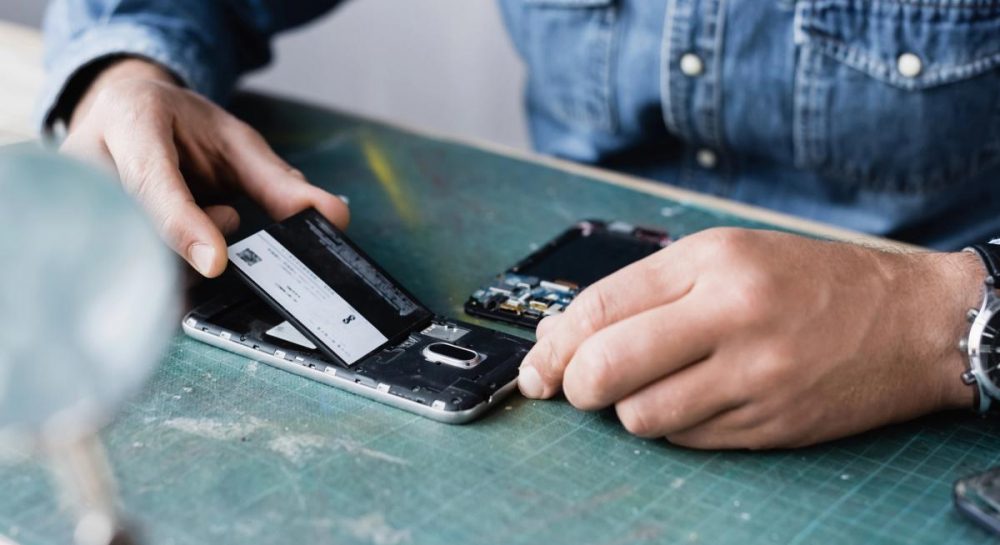 💡Tech
Photo: UNIAN
Key points
- Visual inspection of screws and body gaps
- Checking service history in settings
- Risks of using non-original batteries
Purchasing a used smartphone is an effective way to save money, but such a choice carries certain risks. The most vulnerable component of a device over time is the battery, the condition of which directly affects battery life and system stability.
Physical signs of tampering
Before closing a deal, it is worth conducting a thorough external inspection. Even if the seller claims the phone has never been opened, certain details may suggest otherwise. Pay attention to how tightly the display fits the frame and the presence of uneven gaps. It is also worth inspecting the screws on the bottom edge of the smartphone: screwdriver marks or a mismatch in color often indicate unqualified repairs.
Software diagnostics
Modern flagships, including iPhones, Samsung, and Google Pixel devices, have built-in tools to check components. In the settings of Apple devices, you can find the "Parts and Service History" section, which displays information about replaced parts. If you are buying a device from a private seller, always ask for documentation of service, as using cheap non-original batteries can lead to rapid overheating and sudden device shutdowns.
Source UNIAN — unian.ua/techno/gadgets/yak-pereviriti-akumulyator-u-vzhivanomu-tel… ↗
Read next
 🎭Culture & Sport
Autumn Rose Care: Tips for Gardeners in Pereiaslav
Experts explain why it is best to avoid radical pruning of roses until persistent frosts arrive.
 🛡️Security
Strike on Russian vessel in Gulf of Finland: Estonia's response
Estonian officials have commented on the incident involving a Russian cargo ship, reaffirming Ukraine's right to self-defense.
 🛡️Security
Rescue operation in Dymer: 89-year-old woman pulled from the rubble of a destroyed building
In Dymer, Kyiv region, search and rescue efforts continue following a drone strike. Rescuers managed to save an 89-year-old woman, though the death toll has risen to nine…
 🇺🇦Ukraine
Russian corvette 'Merkury' damaged in Libya: potential Ukrainian drone strike
A Russian naval vessel was damaged in Benghazi, Libya, following an explosion. Media reports suggest Ukrainian maritime drones may be responsible.
 🛡️Security
Russia tests NATO defense algorithms through airspace violations, expert says
Retired Ukrainian Colonel Dmytro Kashchenko stated that Russian missile and drone incursions into NATO territory are deliberate tests of Alliance response systems.
 💼Economy
Scientists revive 40,000-year-old bacteria from permafrost: climate concerns
Researchers from the University of Colorado found that ancient microorganisms can rapidly reactivate, posing significant risks to the global climate.